FutureIK Technologies
Services
Login
Book a Demo
K

Getting Started

Set-up guide

Platform Capabilities

Dashboard
Campaigns
Media Library
Device Management
Commands Management

Content Management

Add & Manage Media in Asta
Customize Your Media Experience

User & Role Management

Users
Roles & Permissions
Account Settings

Project Management

Projects Overview
Navigating the Project Dropdown Menu

Customization & Branding

Rebranding the Asta Application

Licensing & Legal

Licenses
Domain Quota

How to Upload Media files to the Media Library

  • Prerequisites
  • Steps to Add Media 

Prerequisites

  • Make sure your media files work with the devices they'll be displayed on (e.g., check video codecs and formats). Need help? Check out the Supported File Formats section for details.
  • Also, ensure you have enough storage space in your account. For more info, visit the Domain Quota section under Licenses.

Steps to Add Media

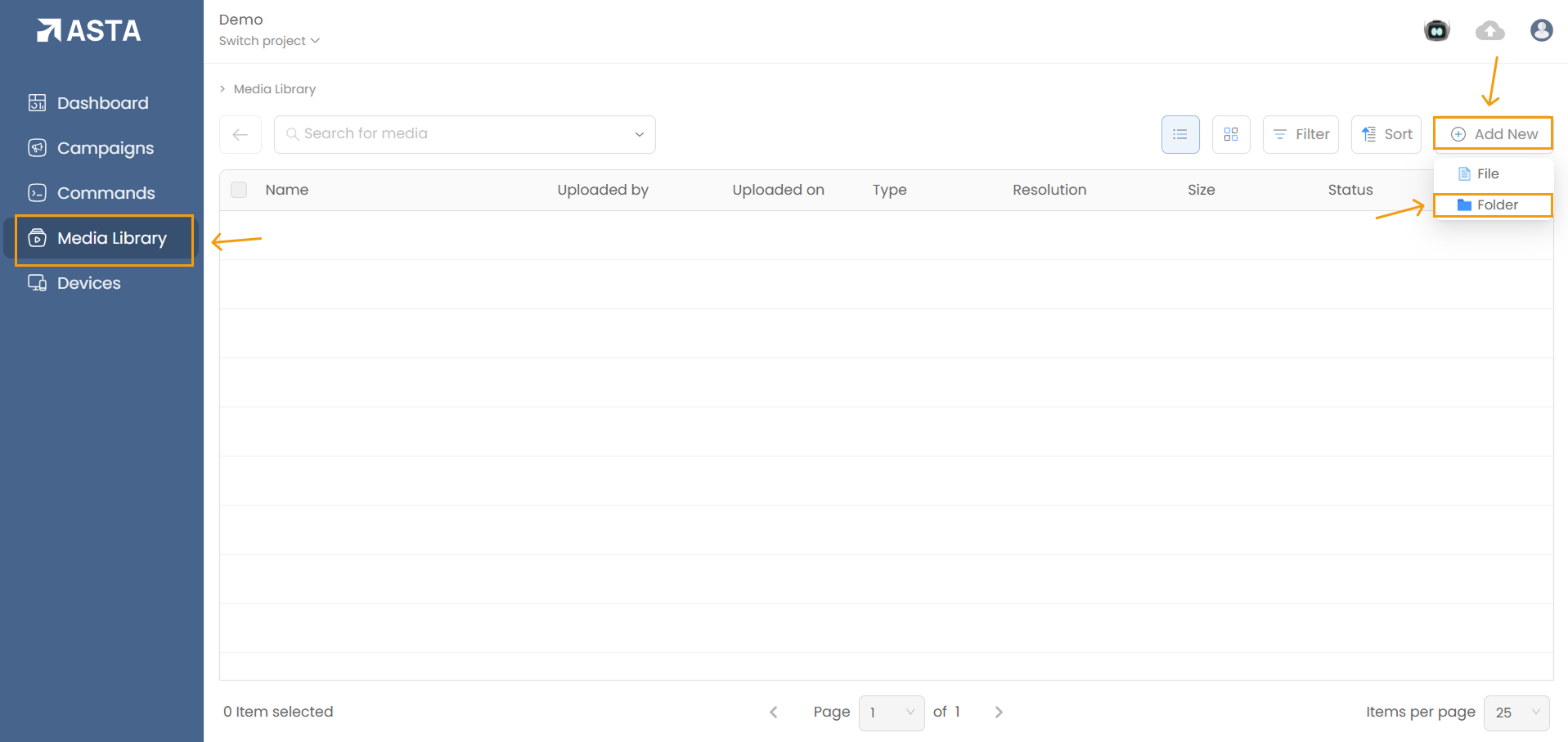
1. Navigate to the Media Library: Access the Media Library tab from the dashboard.

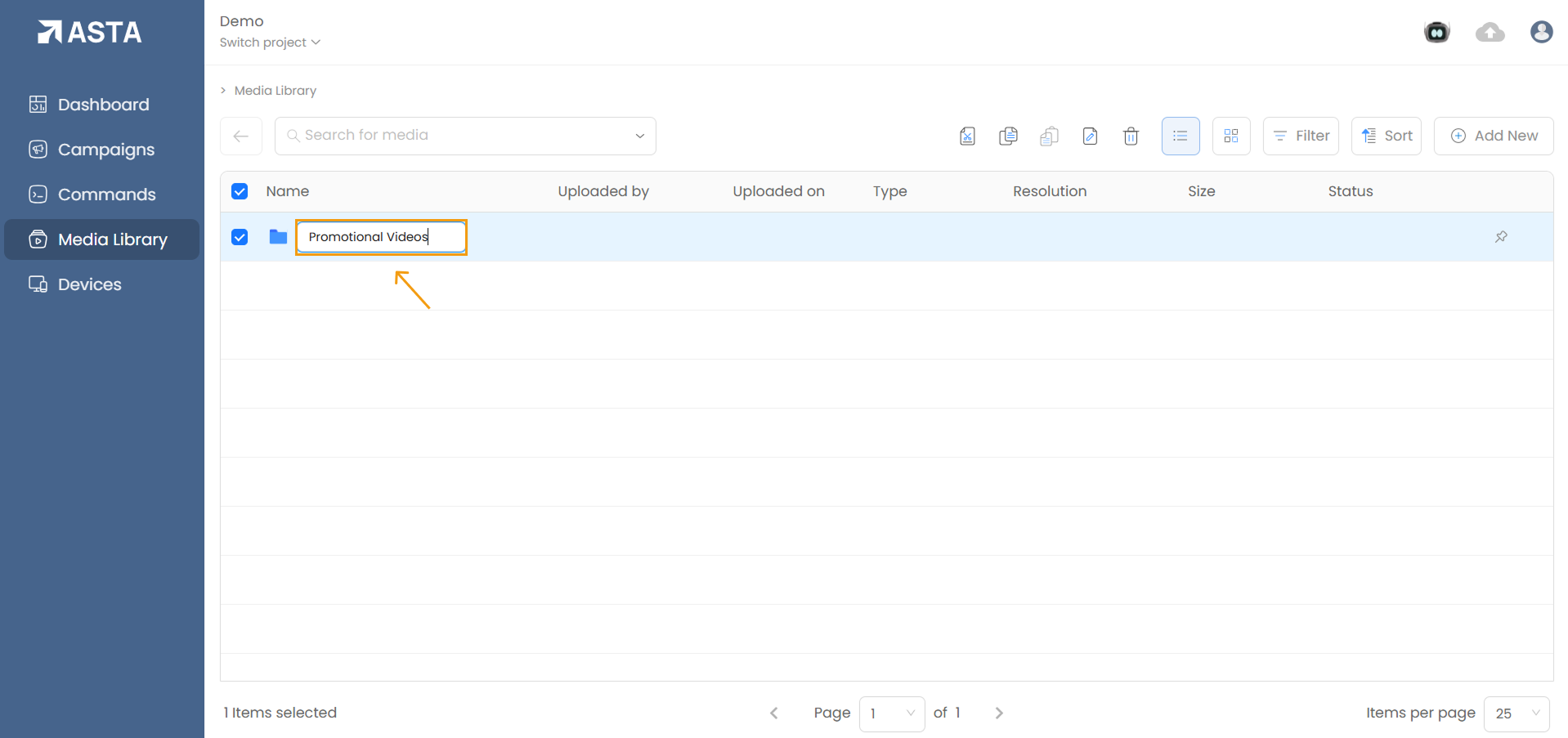
2. Organize Media with Folders: (Optional but is the best practice)

  • Right-click or click the Add New button and select Folder.
  • icon
  • Name the folder based on its content, such as "Promotional Videos" or "Seasonal Campaigns."
  • icon

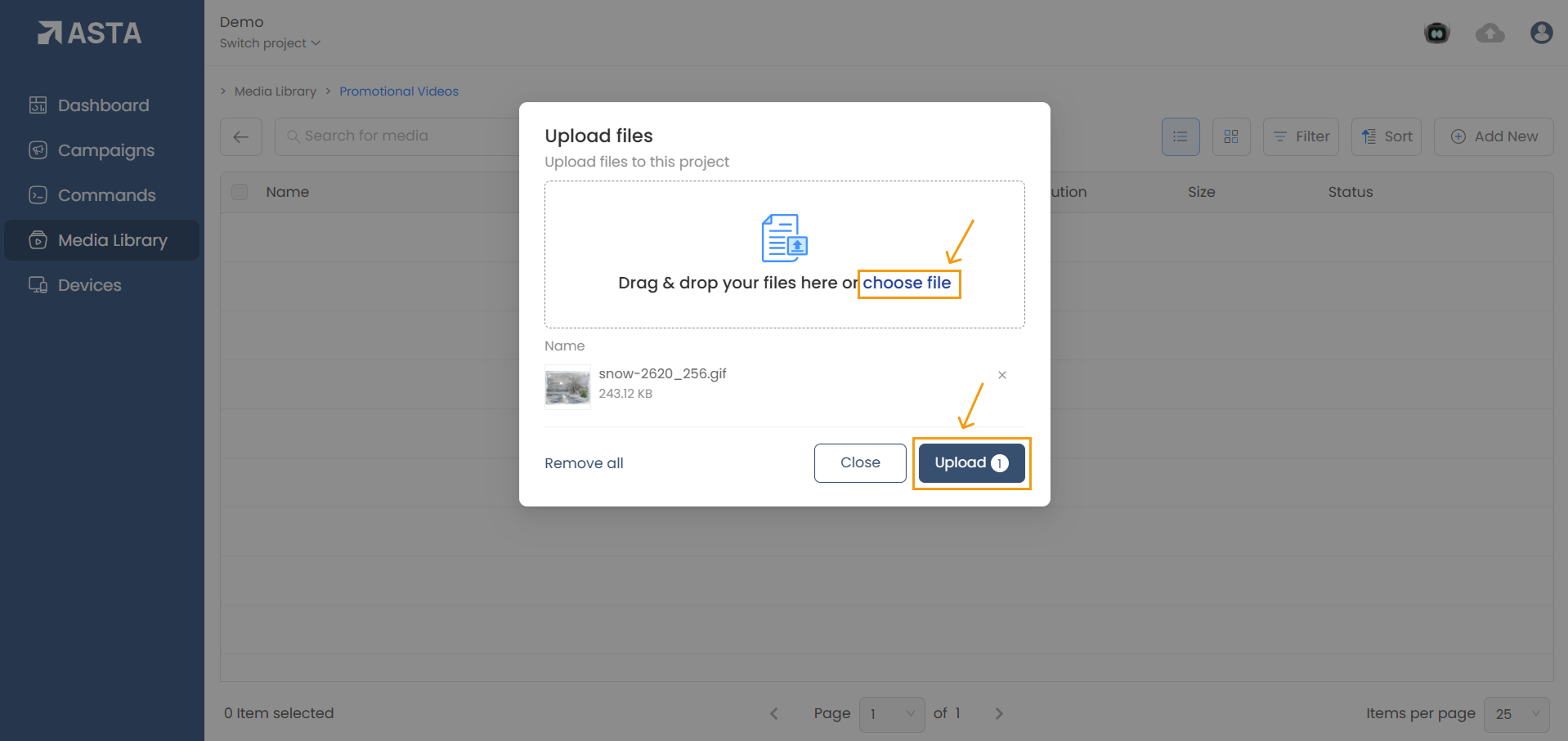
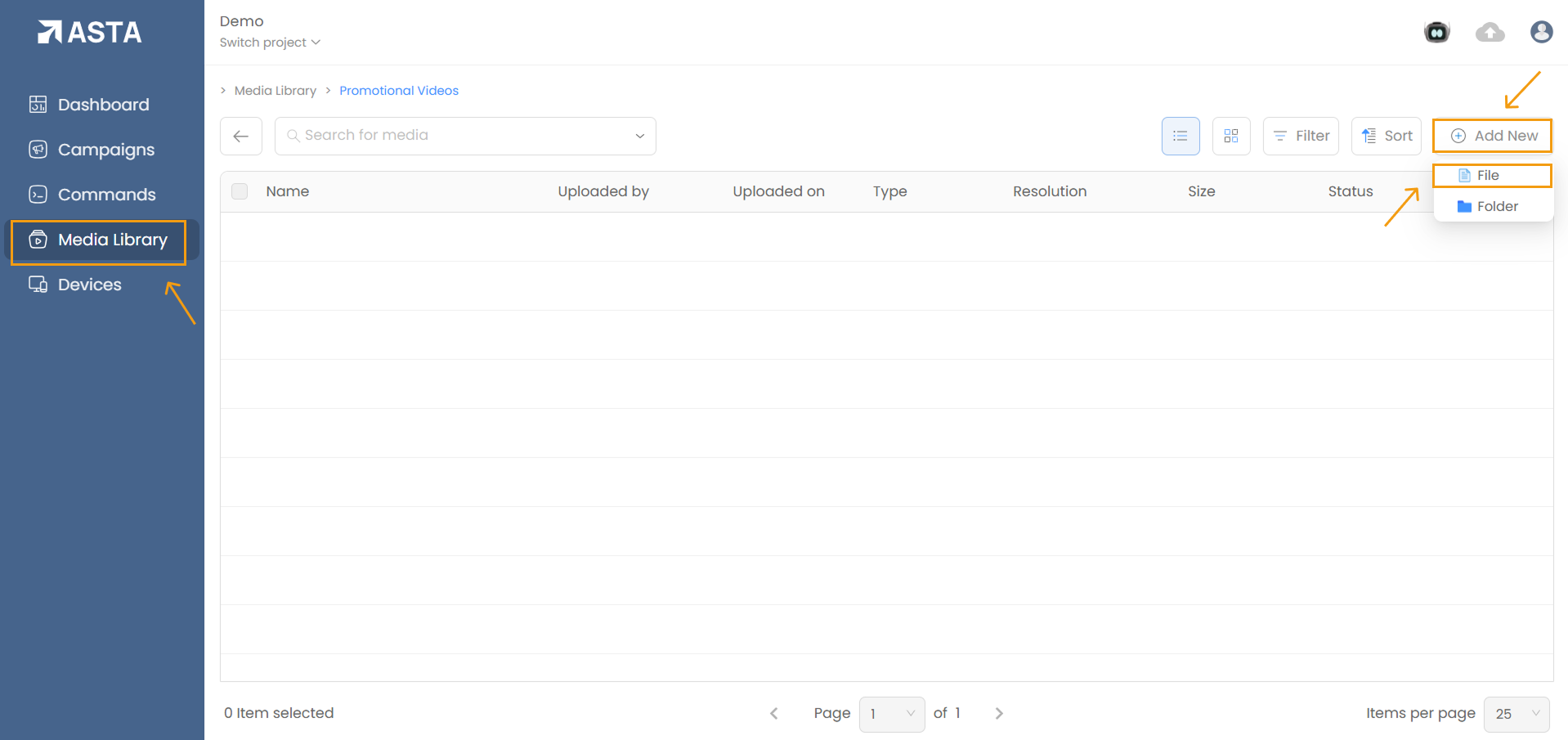
3. Upload Media Files:

  • Click Add New File to upload images, videos, or GIFs.
  • icon
  • You can upload multiple files simultaneously.
  • icon

4. Monitor Upload Status:

  • Track upload progress via the cloud icon in the top-right corner of the screen.
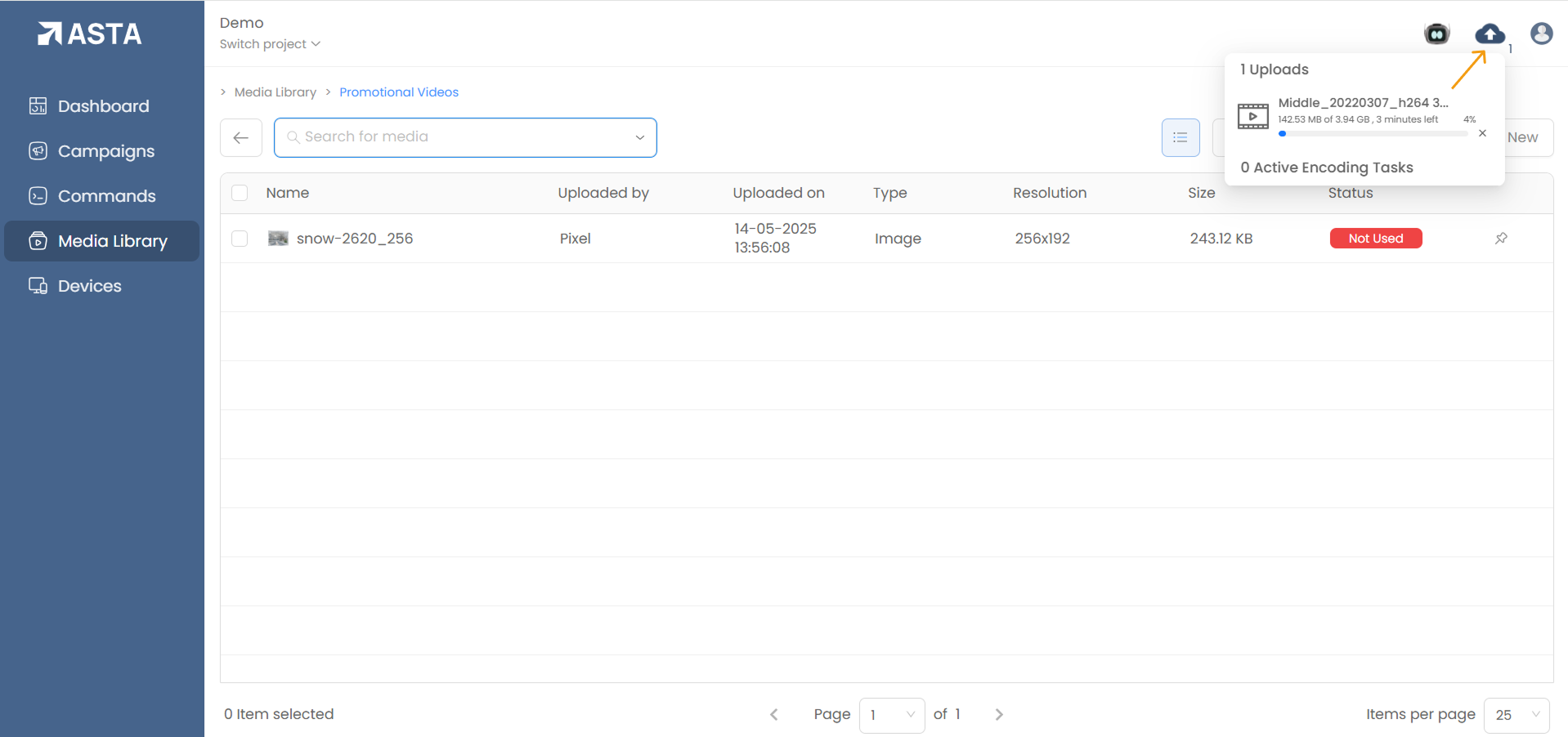
  • icon

5. Wait for Processing and Encoding:

  • The system processes and encodes uploaded files to ensure compatibility with connected devices.
  • Processing time depends on file size and format.

6. Check File Visibility:

  • Once processed, files will appear in the Media Library and are ready for use in campaigns or playlists.
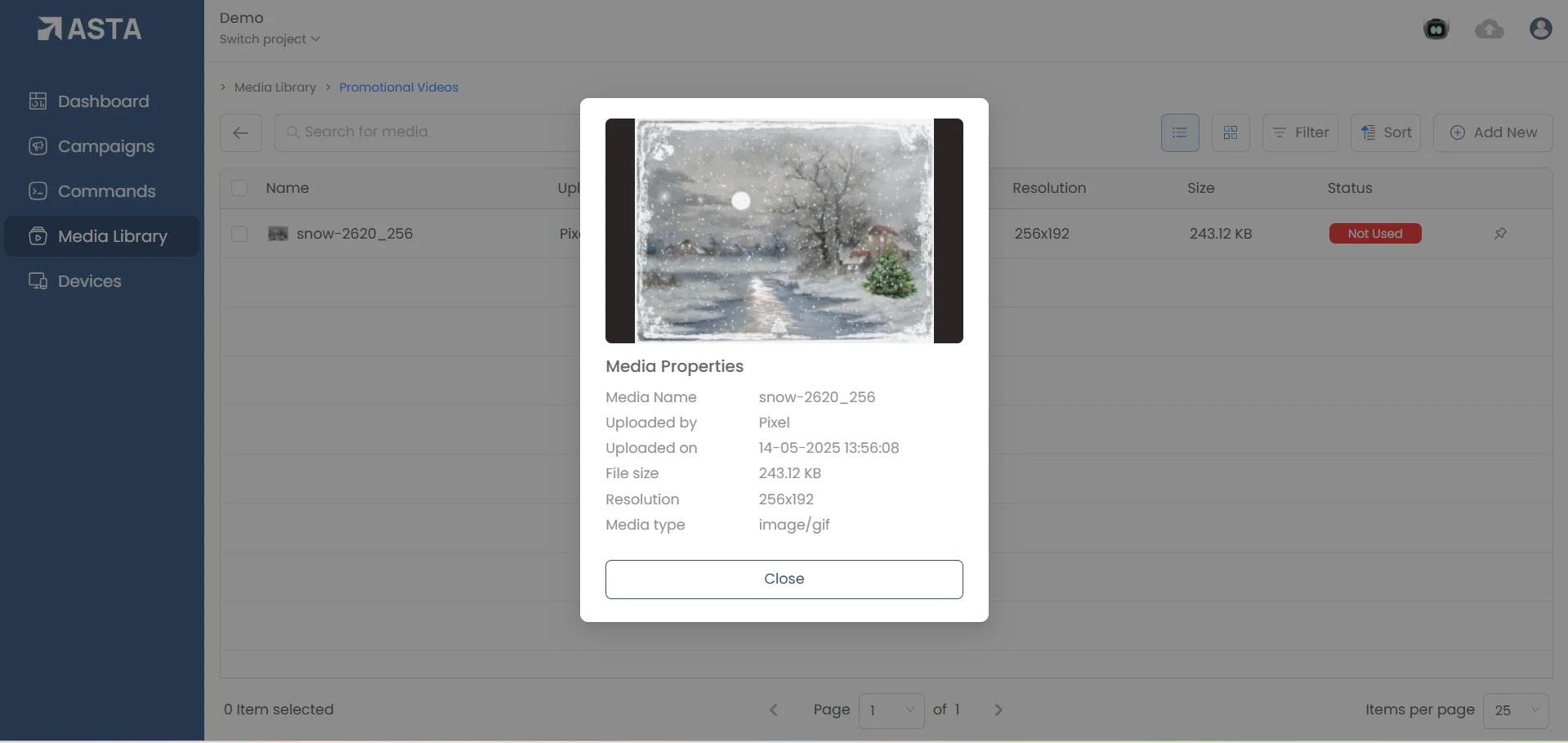
  • icon

Stay ahead with FutureIK

Product launches, signage playbooks and industry insights. No noise.

FutureIK Technologies

The full-stack digital signage company. Displays, players, kiosks and the cloud platform that runs them — designed, engineered and supported under one roof.

Products

  • Asta CMS
  • Naxora LED
  • Aerolux LCD
  • Infynix Kiosks
  • Classora Panels
  • Aetos Players

Solutions

  • Retail
  • Healthcare
  • Education
  • Banking
  • DOOH
  • Corporate

Company

  • About Us
  • Careers
  • Blog
  • Contact
  • Book a Demo

Resources

  • FAQ
  • Downloads
  • Asta Docs
  • Privacy Policy
  • Terms of Service

© 2026 FutureIK Technologies Pvt. Ltd. All rights reserved.

sales@futureik.com+91 76192 03418Kochi, India · United Arab Emirates