FutureIK Technologies
Services
Login
Book a Demo
K

Getting Started

Set-up guide

Platform Capabilities

Dashboard
Campaigns
Media Library
Device Management
Commands Management

Content Management

Add & Manage Media in Asta
Customize Your Media Experience

User & Role Management

Users
Roles & Permissions
Account Settings

Project Management

Projects Overview
Navigating the Project Dropdown Menu

Customization & Branding

Rebranding the Asta Application

Licensing & Legal

Licenses
Domain Quota

How to Install  the Asta App on Android Device

Getting started with the Asta app is quick and easy, follow these steps:

Install the Asta App

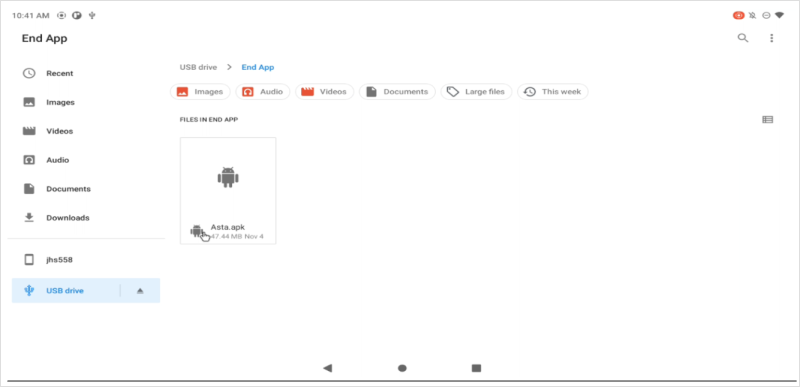
1. Find the Asta app file (APK) you downloaded and tap on it to start the installation.
android

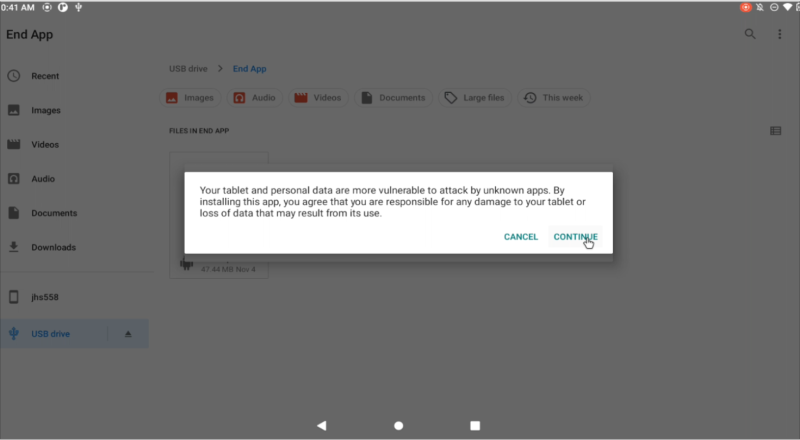
2. If the device asks for permission to install from unknown sources, it should be allowed by clicking on the continue.
android

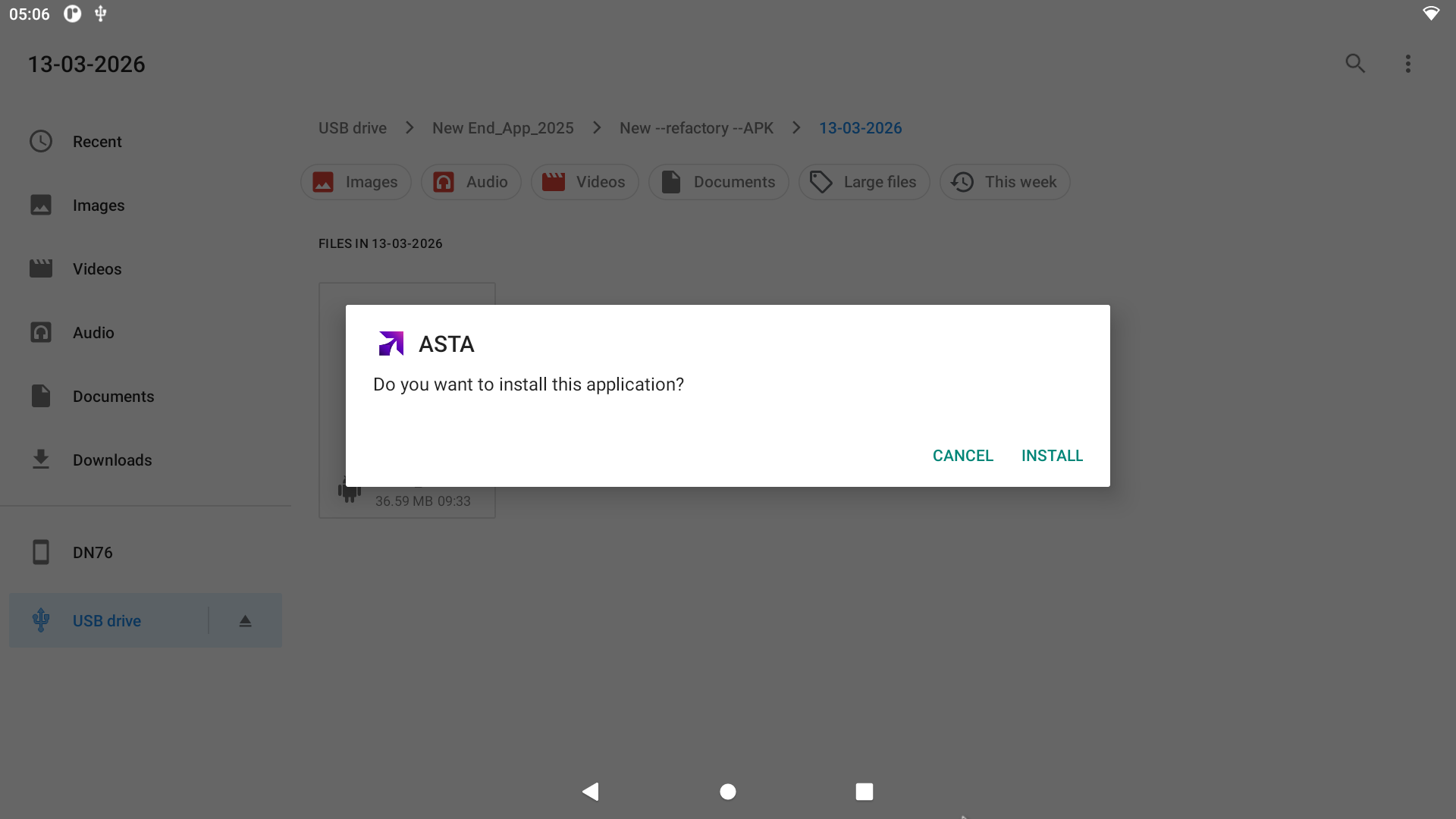
3. Allow the permission to install the application by clicking on install
android

💡 Note: If you haven't downloaded the Asta APK yet, visit our Downloads Page for instructions on obtaining the correct version.

Open the Asta App

Once the installation is done, tap Open to launch the app.
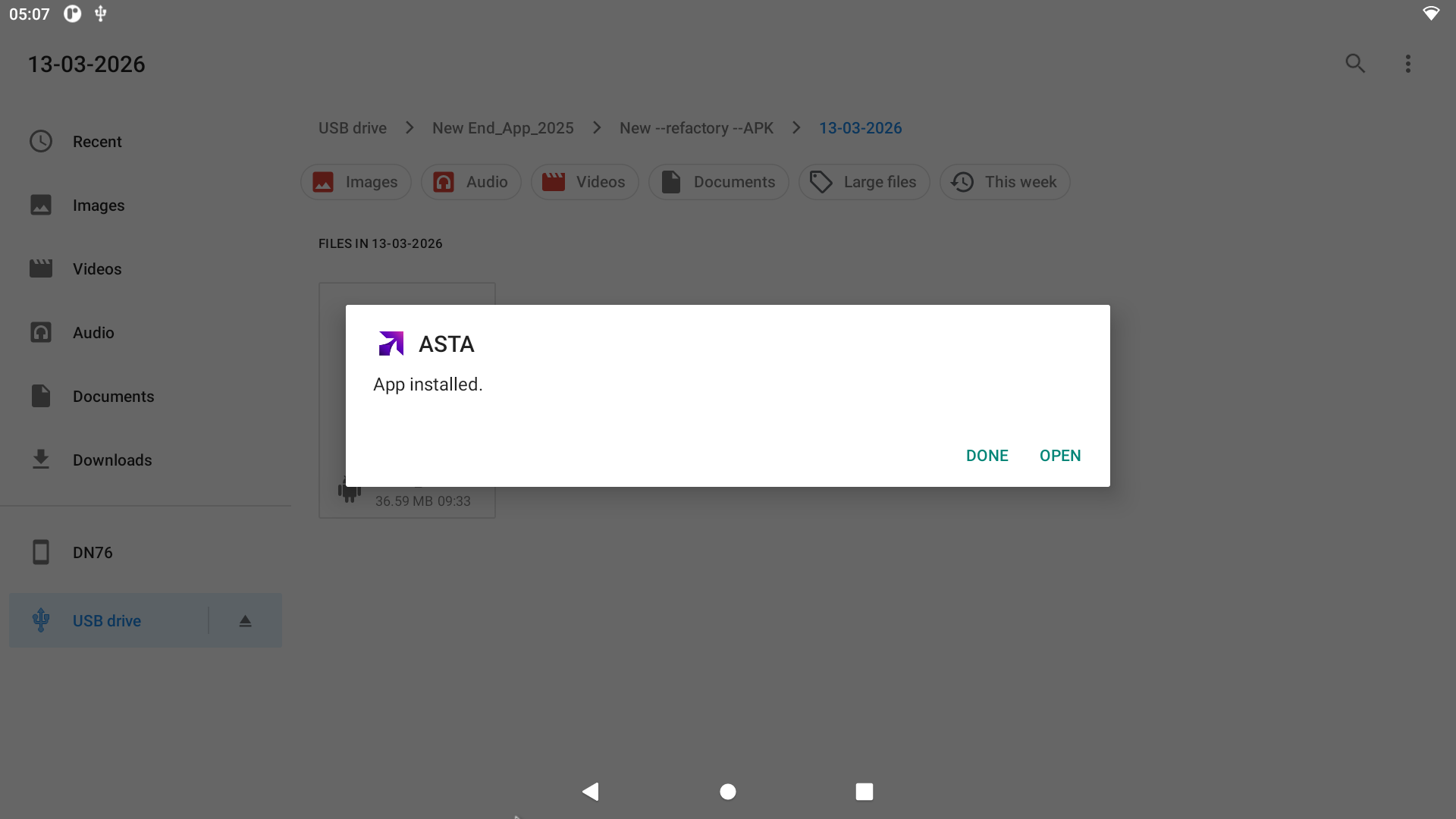
android

Allow Permissions

Rooted Devices: All permissions are granted automatically upon installation — no action required.

For Non-rooted devices , manually enable the required permissions by following the steps below:

Step 1: Go to Settings → Apps
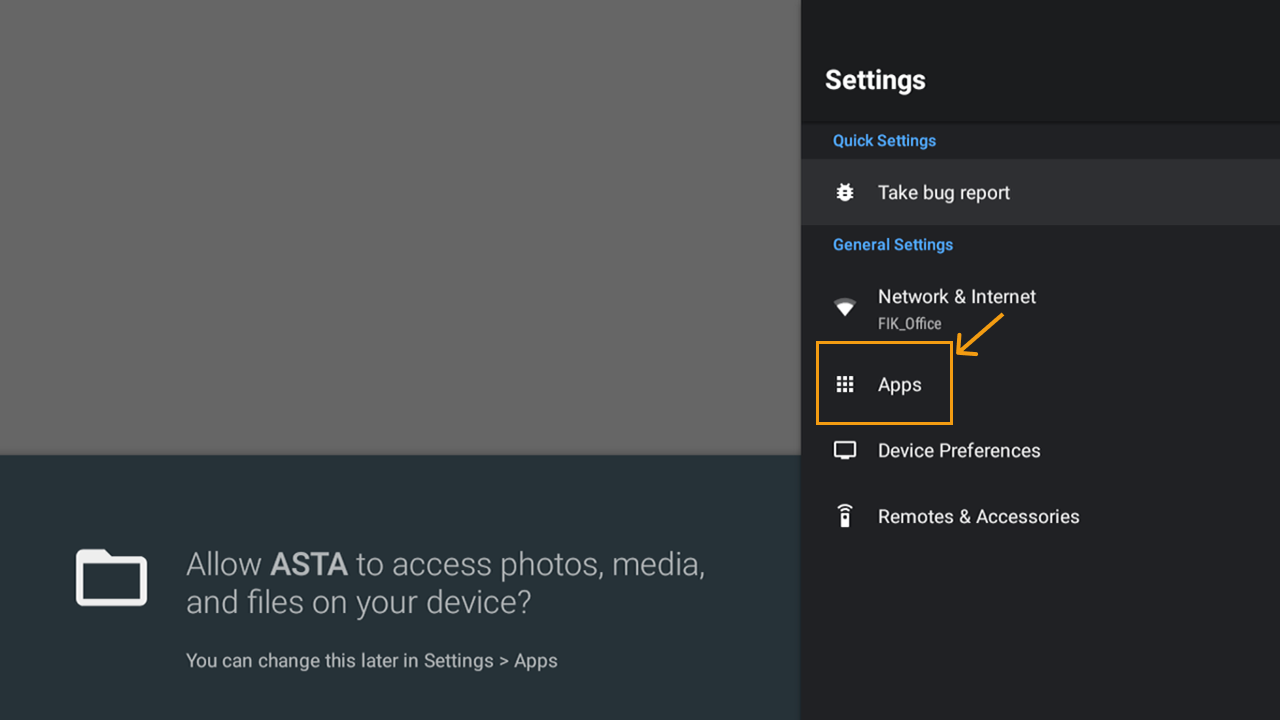
android

Step 2: Under the Permissions section, select Special App Access
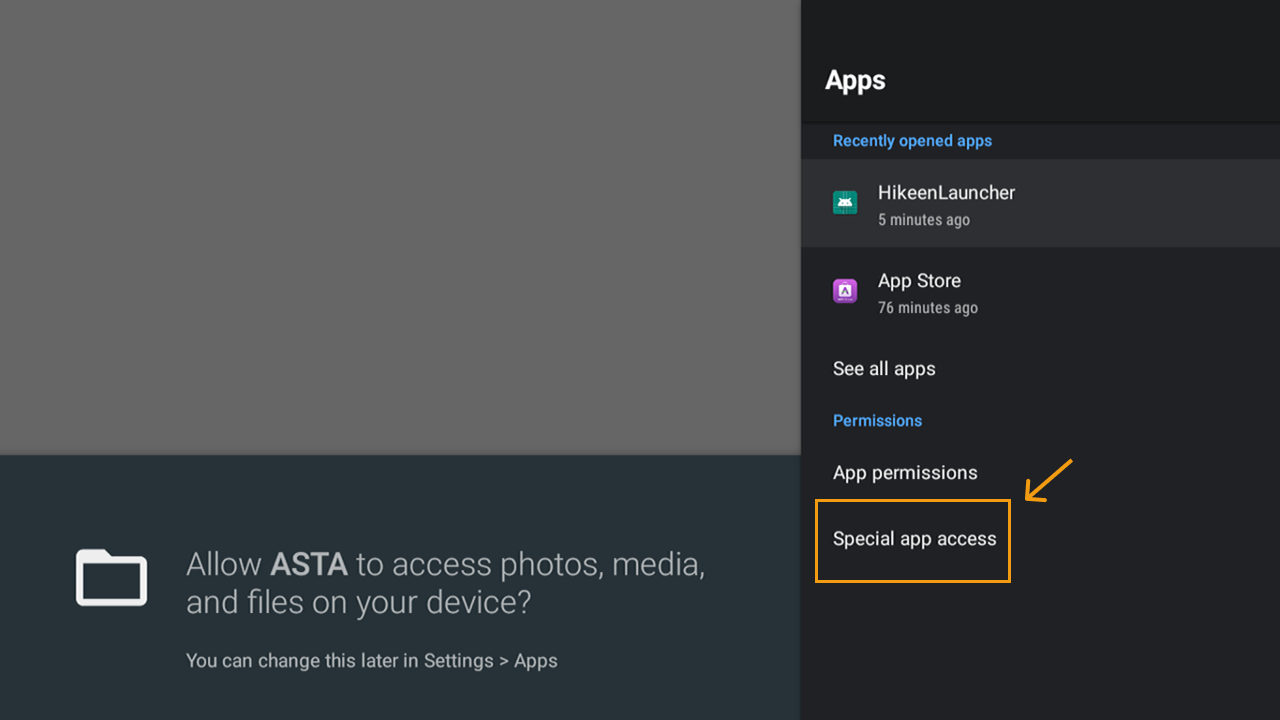
android

Step 3: Enable the following permissions:
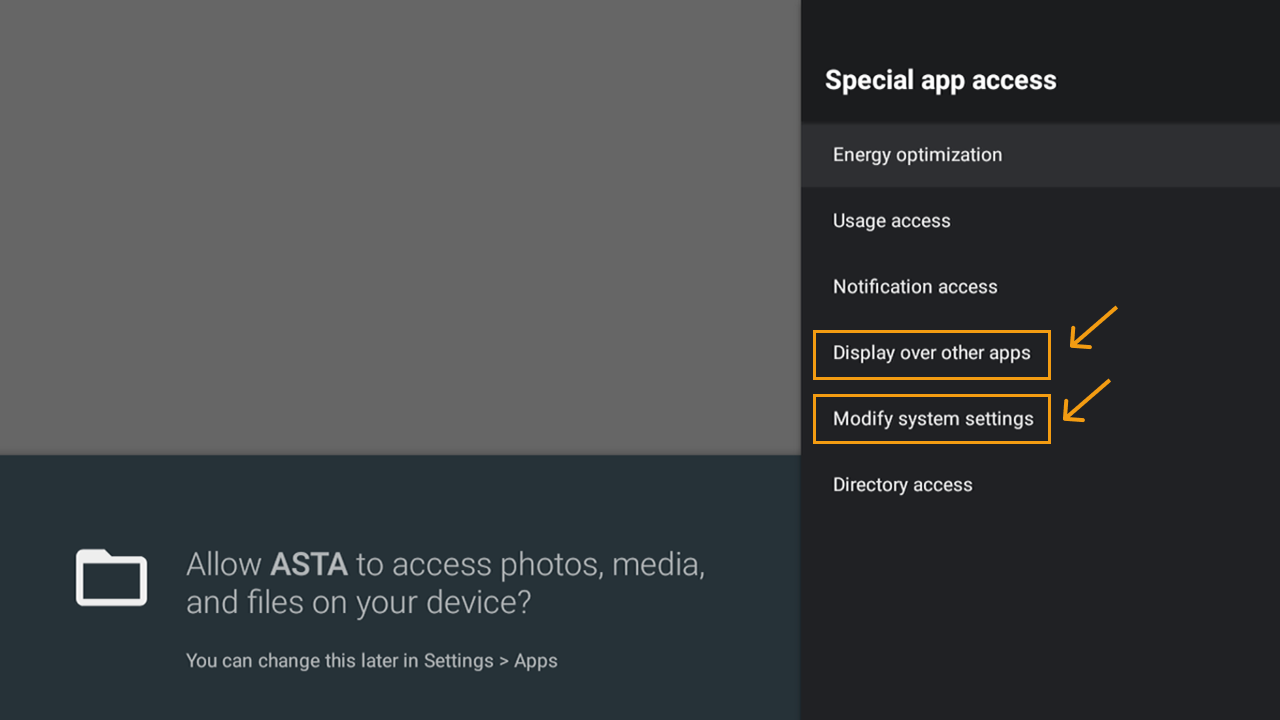
android
  • Modify System Settings: To adjust system configurations for optimal performance.
  • Display Over Other Apps: To show helpful notifications or pop-ups.
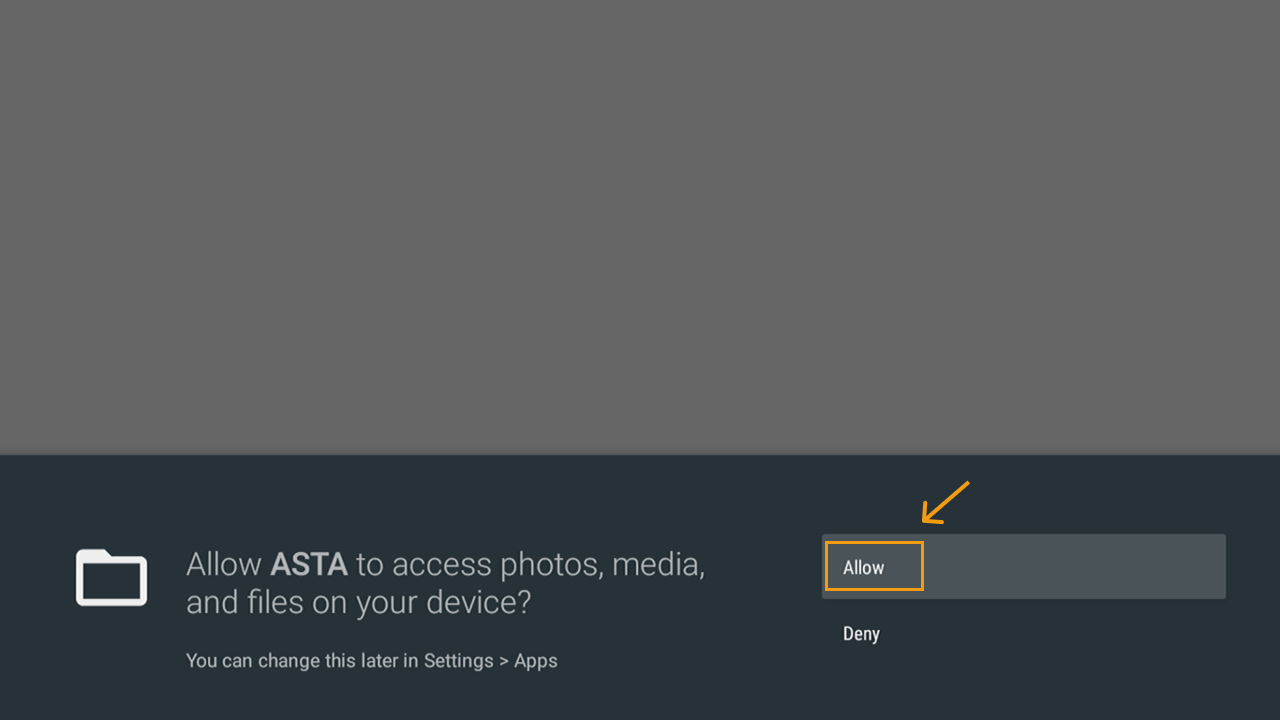
  • Access to Photos and Media: So it can save or show your files.
  • android

    Tap Allow for each permission when prompted.
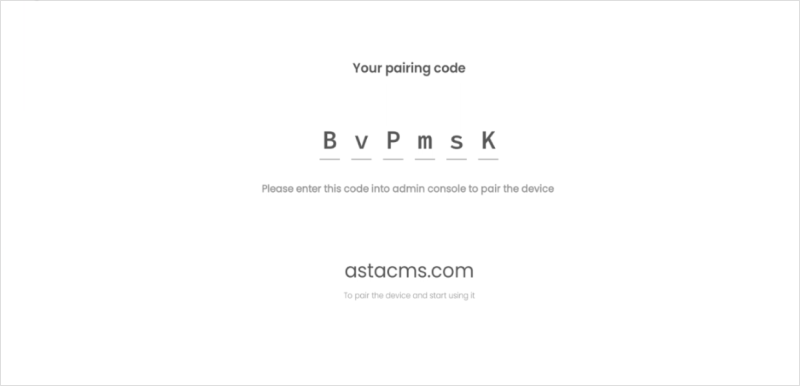
    android

    To pair your Android device with Asta:

  • Visit the Devices section on the Asta web console. Enter the Pair Code displayed on your device to complete the process.
  • Enter the Pair Code displayed on your device to complete the process.
  • For detailed instructions, check out the link learn about pairing the device


    Stay ahead with FutureIK

    Product launches, signage playbooks and industry insights. No noise.

    FutureIK Technologies

    The full-stack digital signage company. Displays, players, kiosks and the cloud platform that runs them — designed, engineered and supported under one roof.

    Products

    • Asta CMS
    • Naxora LED
    • Aerolux LCD
    • Infynix Kiosks
    • Classora Panels
    • Aetos Players

    Solutions

    • Retail
    • Healthcare
    • Education
    • Banking
    • DOOH
    • Corporate

    Company

    • About Us
    • Careers
    • Blog
    • Contact
    • Book a Demo

    Resources

    • FAQ
    • Downloads
    • Asta Docs
    • Privacy Policy
    • Terms of Service

    © 2026 FutureIK Technologies Pvt. Ltd. All rights reserved.

    sales@futureik.com+91 76192 03418Kochi, India · United Arab Emirates